Wamuzi
WAMUZISecond Memory

Hear your own voice remind you.

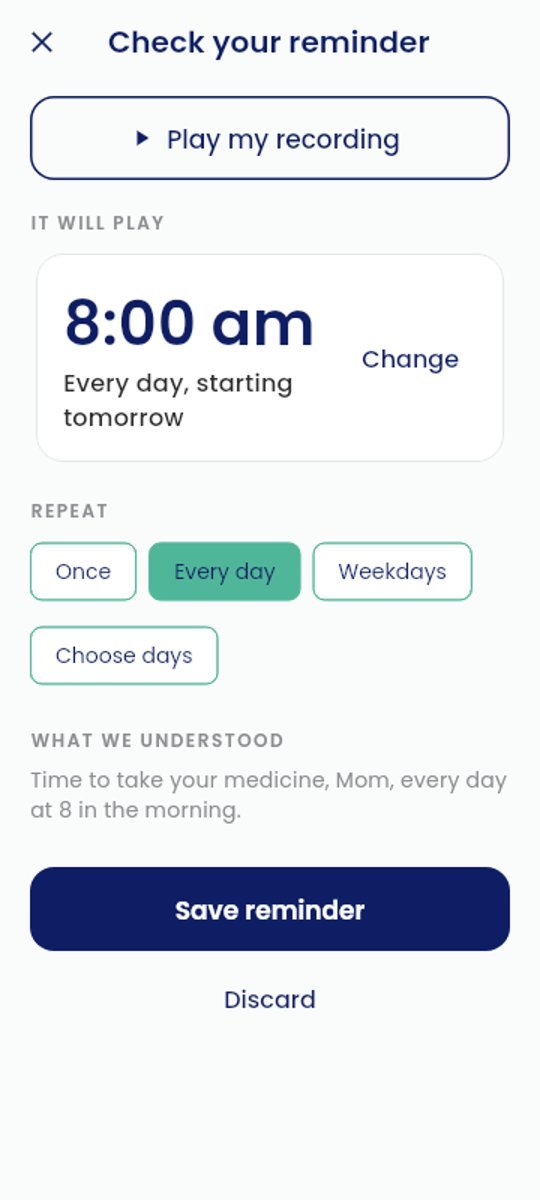
Say what to remember and when. At that time, your phone plays your own recording back. Record “Time to take your medicine, Mom, every day at 8 in the morning” on her phone, and she hears you every morning.

Download for Android
Free · No account · Android 8 or later · Version 1.0
Coming soon to Google Play and the App Store
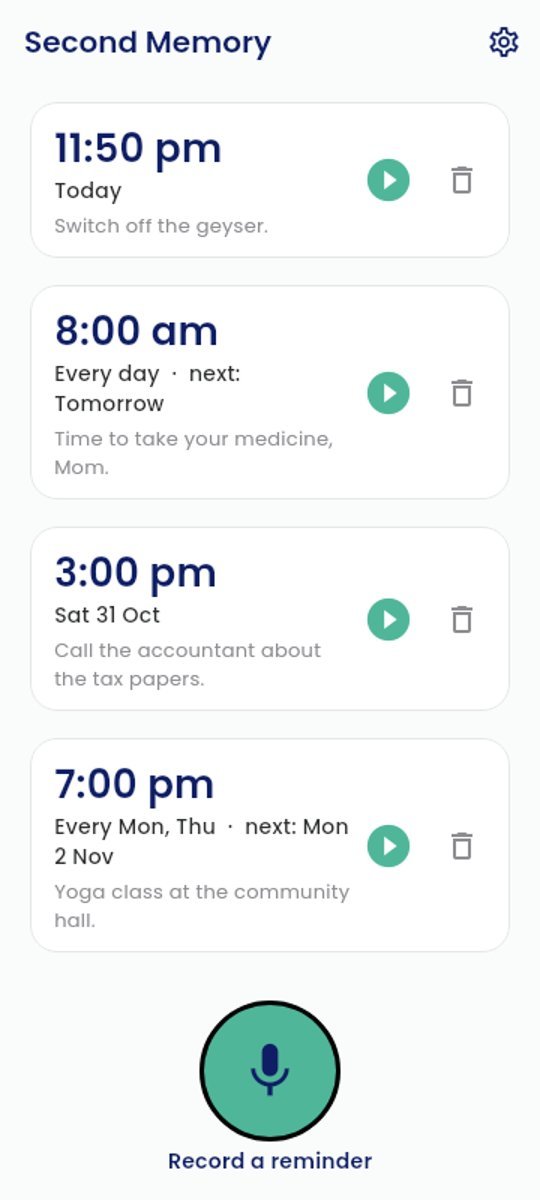
Second Memory home screen with three reminders Checking a reminder: 8:00 am every day

Why your own voice?

A beep is easy to ignore. Your own words, or the voice of someone you love, are not.

Just speak

“Call the accountant next Tuesday at 3 pm.” The phone finds the time. Check it, and save.

Repeats

Once, every day, weekdays, or the days you choose. Tap Done when it plays.

Private and free

Your recordings stay on your phone. No account, no ads, and after setup it works without the internet.

How to install

Apps from outside Google Play need two extra taps the first time. Your phone's screens may look a little different.

1

Tap Download for Android. If Chrome asks, tap Download anyway.

Download file?This type of file can harm your device.
CancelDownload anyway
2

When the download finishes, tap Open.

wamuzi-second-memory.apkDownload complete
Open
3

If asked, tap Settings, turn on Allow from this source, then go back.

Allow from this source
4

Tap Install, then Open. Choose your language to finish setting up.

Second MemoryDo you want to install this app?
CancelInstall
Seeing a Play Protect message? It appears for apps that aren't on Google Play yet. Tap More details, then Install anyway. When Second Memory arrives on Google Play, it will update this version, and your reminders stay as they are.